> For the complete documentation index, see [llms.txt](https://manual.fotokite.com/llms.txt). Markdown versions of documentation pages are available by appending `.md` to page URLs; this page is available as [Markdown](https://manual.fotokite.com/system-profile/camera.md).
# Camera
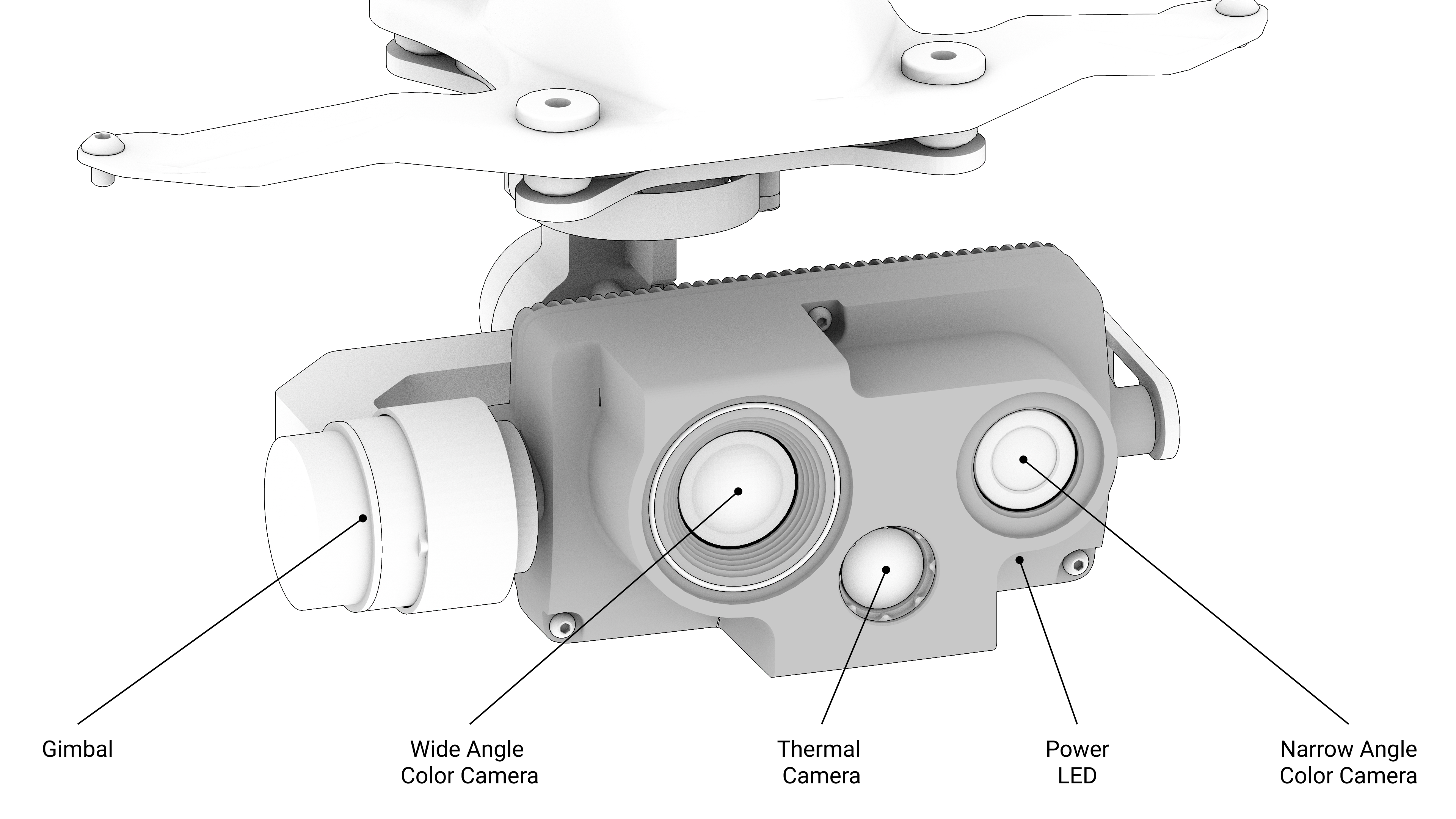
The Kite is equipped with a gimbal-mounted Camera. Three versions of the Camera are available: **Camera 1st Generation,** **Camera 2nd Generation and Camera 2nd Generation IR Plus**
## **Camera 2nd Generation IR Plus**
Camera 2nd Generation features the following three camera sensors mounted on a three-axis gimbal:
* Radiometric IR Thermal Camera (640 pixels x 512 pixels)
* Wide Angle CMOS Color Camera
* Narrow Angle CMOS Color Camera
The data from these camera sensors are combined to make the following three video streams simultaneously available to the user at all times:
* Thermal Video Feed
* Zoom Color Video Feed
* Overview Color Video Feed
The video feeds can be viewed live and in real-time during flight. Backtracking additionally allows the video feeds for the last 30 minutes to be viewed in real-time.
Video Recording allows the Thermal and Zoom Color Video Feeds to be recorded continuously. Likewise, Livestream allows these feeds to be viewed by remote viewers over the Internet.
The radiometric feature of the IR Thermal Camera allows temperatures to be measured using the Thermal Picker.
The dual Color Camera configuration enables the Zoom Color Video Feed to provide 0.5x - 16x hybrid optical and digital zoom. Optical zoom ranges: 0.5x-1x and 2.3x-4.6x, digital zoom ranges: 1x-2.3x and 4.6x-16x.
The Thermal Camera provides a digital zoom in the range of 1x-8x.
**Camera Status LED Indicators**
| LED | Style | Meaning |
| ----- | ---------------- | -------------------------- |
| Power | Green - Blinking | Camera is receiving power. |
## **Camera 2nd Generation**
Camera 2nd Generation features the following three camera sensors mounted on a three-axis gimbal:
* Radiometric IR Thermal Camera (320 pixels x 240 pixels)
* Wide Angle CMOS Color Camera
* Narrow Angle CMOS Color Camera
The data from these camera sensors are combined to make the following three video streams simultaneously available to the user at all times:
* Thermal Video Feed
* Zoom Color Video Feed
* Overview Color Video Feed
The video feeds can be viewed live and in real-time during flight. Backtracking additionally allows the video feeds for the last 30 minutes to be viewed in real-time.
Video Recording allows the Thermal and Zoom Color Video Feeds to be recorded continuously. Likewise, Livestream allows these feeds to be viewed by remote viewers over the Internet.
The radiometric feature of the IR Thermal Camera allows temperatures to be measured using the Thermal Picker.
The dual Color Camera configuration enables the Zoom Color Video Feed to provide 0.5x - 16x hybrid optical and digital zoom. Optical zoom ranges: 0.5x-1x and 2.3x-4.6x, digital zoom ranges: 1x-2.3x and 4.6x-16x.
The Thermal Camera provides a digital zoom in the range of 1x-8x.
**Camera Status LED Indicators**
| LED | Style | Meaning |
| ----- | ---------------- | -------------------------- |
| Power | Green - Blinking | Camera is receiving power. |
## Camera 1st Generation
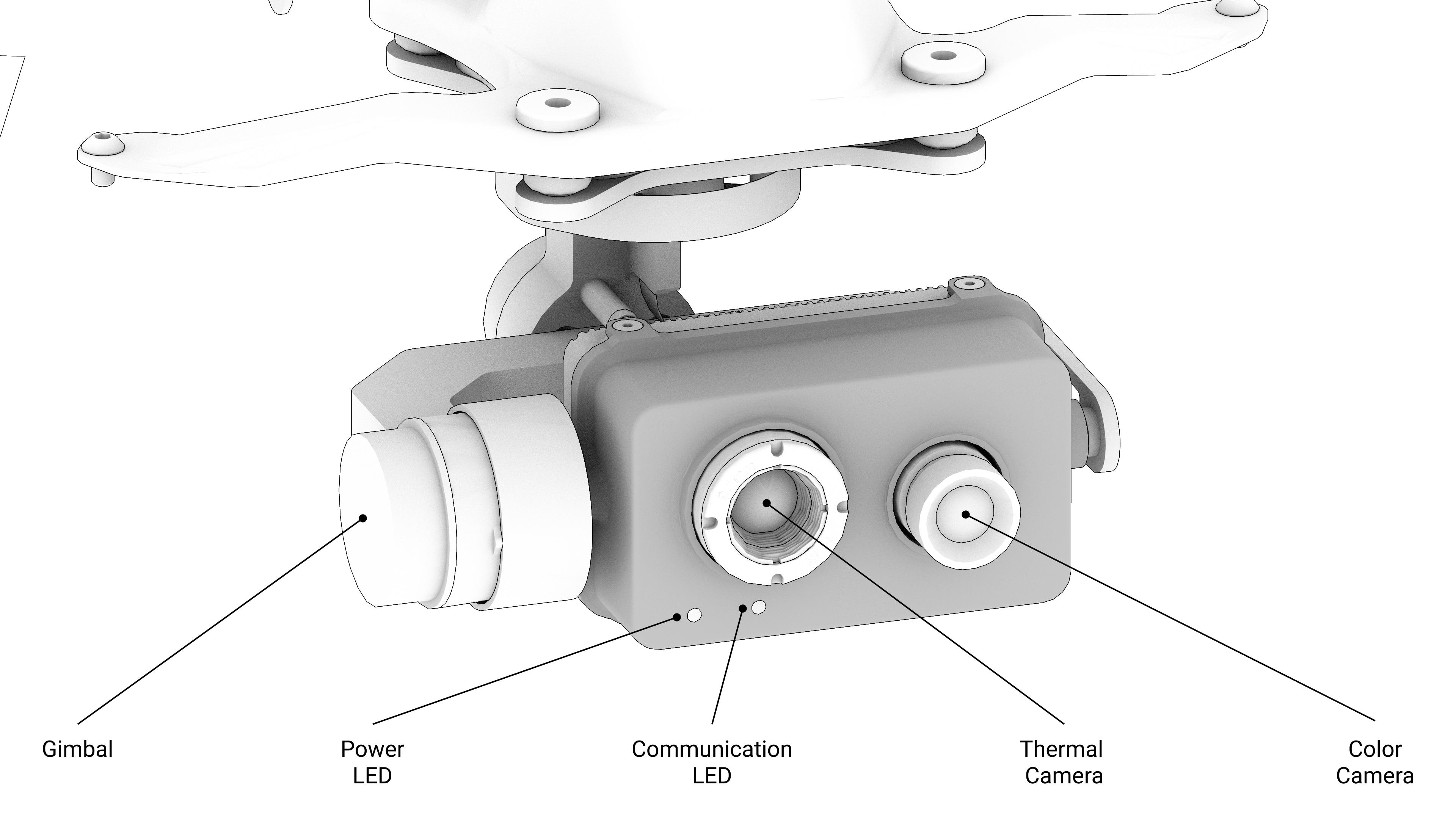
The Kite is equipped with a gimbal-mounted dual camera sensor configuration featuring:
* IR Thermal Camera
* Low-light CMOS Visual Camera (Color Camera)
* Both cameras stream to the user simultaneously to provide visual feedback and recording.
* The video stream can be continuously recorded.
* Video footage can be played back in real-time during flight using the Backtrack Feature.
* The Color Camera is capable of up to 5x digital zoom.
---
# Agent Instructions
This documentation is published with GitBook. GitBook is the documentation platform designed so that both humans and AI agents can read, navigate, and reason over technical content effectively. Learn more at gitbook.com.
## Querying This Documentation
If you need additional information that is not directly available in this page, you can query the documentation dynamically by asking a question.
Perform an HTTP GET request on the current page URL with the `ask` query parameter, and the optional `goal` query parameter:
```
GET https://manual.fotokite.com/system-profile/camera.md?ask=&goal=
```
`ask` is the immediate question: it should be specific, self-contained, and written in natural language.
`goal` is optional and describes the broader end goal you are ultimately trying to accomplish on behalf of the user. GitBook uses it to tailor the answer towards what is most useful for that goal.
The response will contain a direct answer to the question and relevant excerpts and sources from the documentation.
Use this mechanism when the answer is not explicitly present in the current page, you need clarification or additional context, or you want to retrieve related documentation sections.